Your cameras record. QVision acts.
QVision turns the IP cameras on every site into a system that sees intruders, missing PPE, defects, plates and faces, and acts on them with sirens, barriers, line stops, alerts and incidents, on your own network.
The site
Gate 1 · Entry
A plate is read at the barrier. The plate detector finds it and the reader reads it in the Algerian format.
When a plate is read at Gate 1, open the barrier and log the entry.
Warehouse · Aisle 4
Someone enters Aisle 4 at 02:14. A tracked person crosses into the restricted zone drawn on this camera.
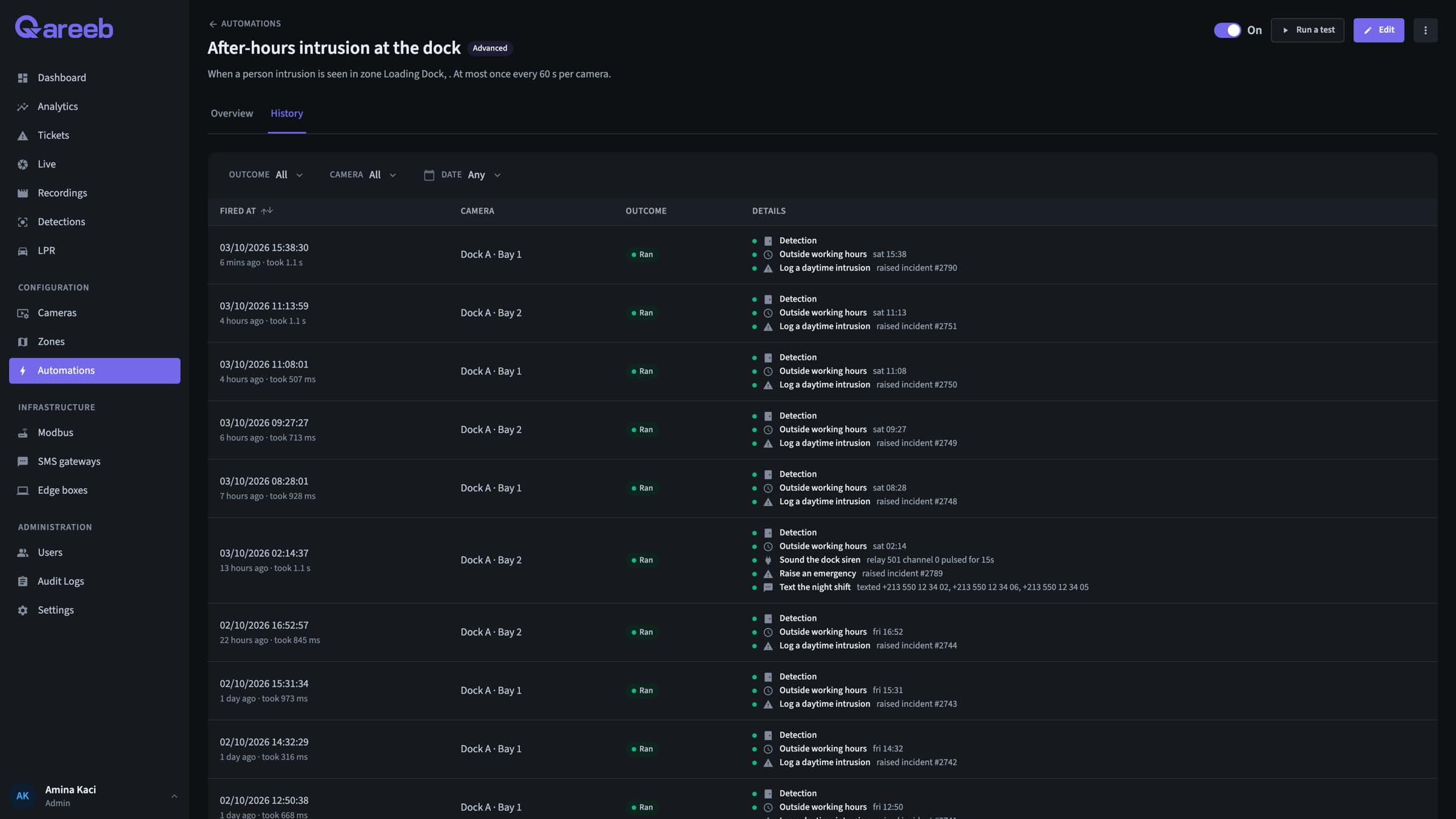
When a person enters Aisle 4 after 20:00, sound the siren, open an incident and text the night shift.
Warehouse floor
A worker without his helmet. PPE detection finds no helmet on his head, and face recognition knows who he is.
When someone on the floor has no helmet, open an incident with their name and email the HSE manager.
Packing line 2
A torn bag on Line 2. The defect is tracked for four frames, so one bag raises one alert.
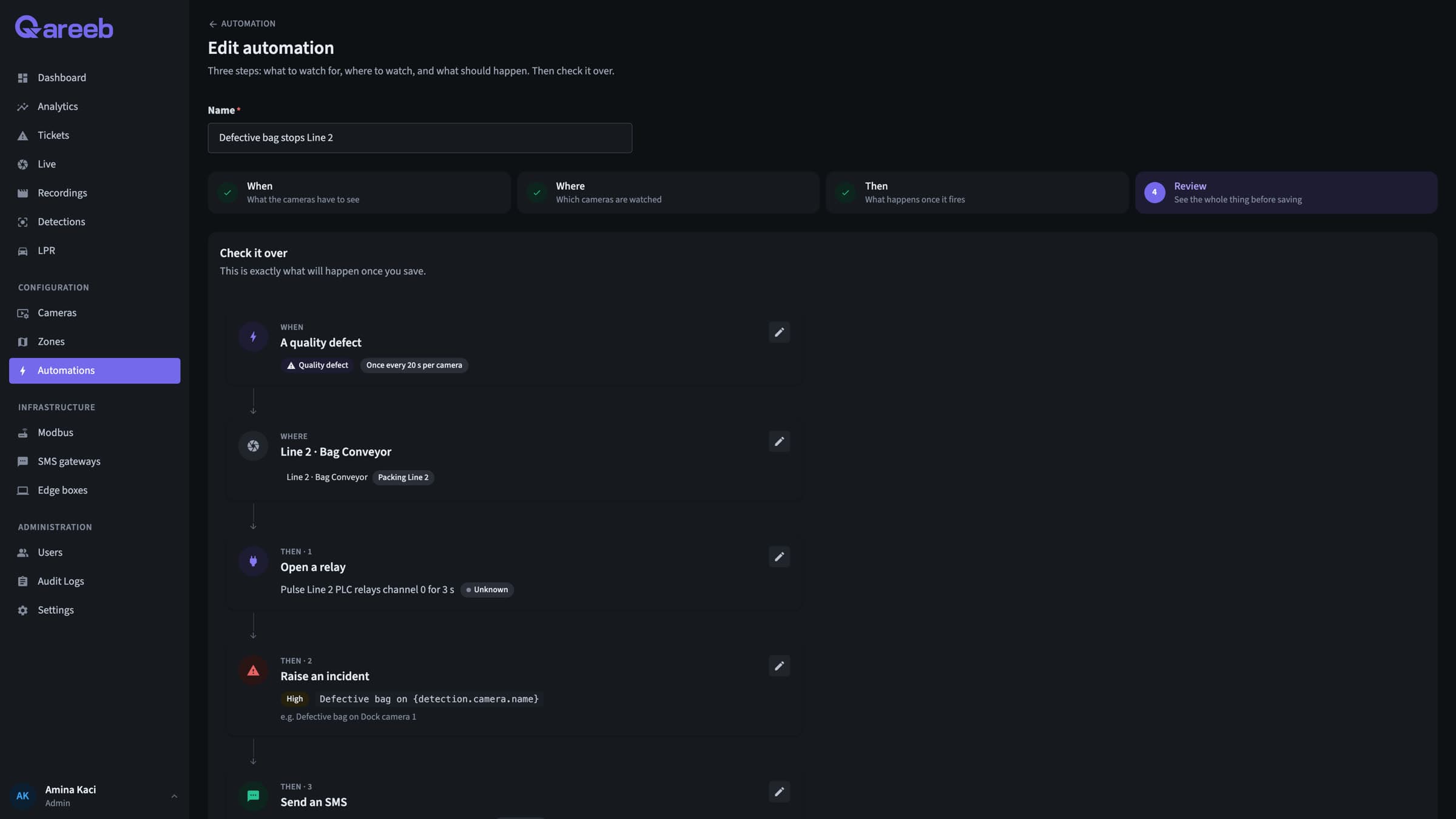
When a defective bag is seen on Line 2, stop the line, open an incident, text the supervisor and send it to the ERP.
Running on the sites of global industrial leaders.
- EnergyA global energy company
- Oilfield servicesA world leader in oilfield services
- Building materialsA global building materials group
- TelecomAn operator with 200+ isolated sites
Around the clock
Built to run unattended, day and night, recording continuously on every site.
Site by site
Add a box to add cameras, add a site to the same hub. Rules, users and dashboards follow.
On your network
No vendor cloud, encrypted links between boxes and hub, air-gapped sites supported.
Five things your cameras can now see.
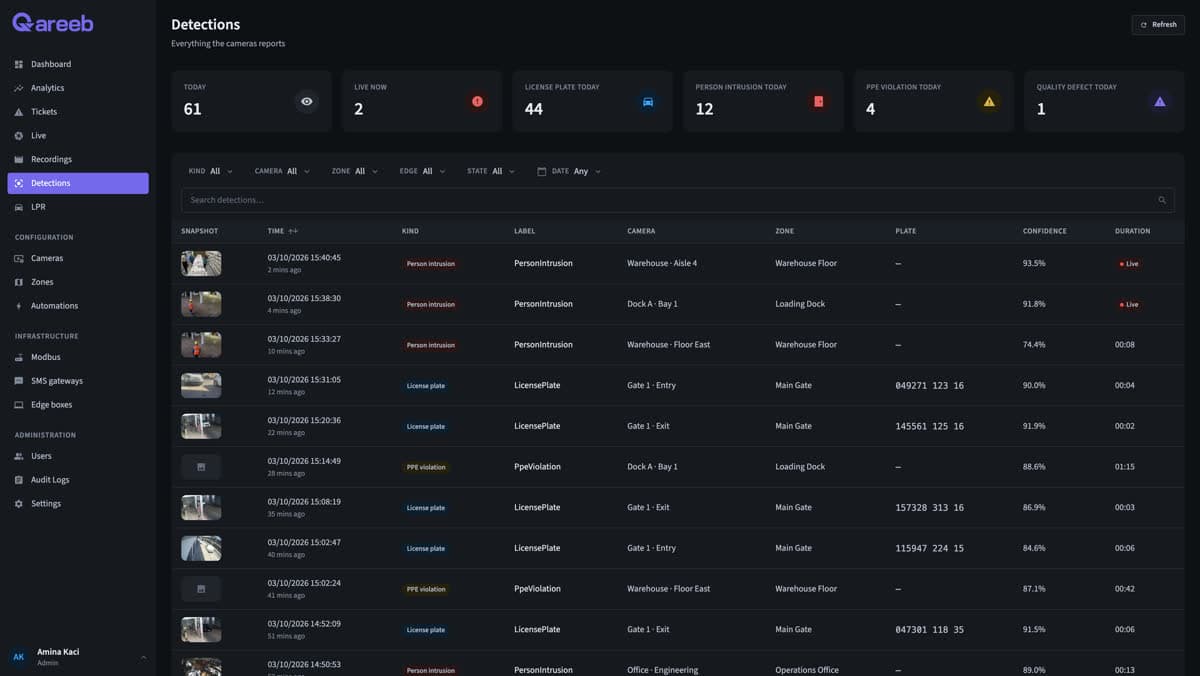
Each detection runs on the edge box, on the cameras you choose, inside the zones you draw.
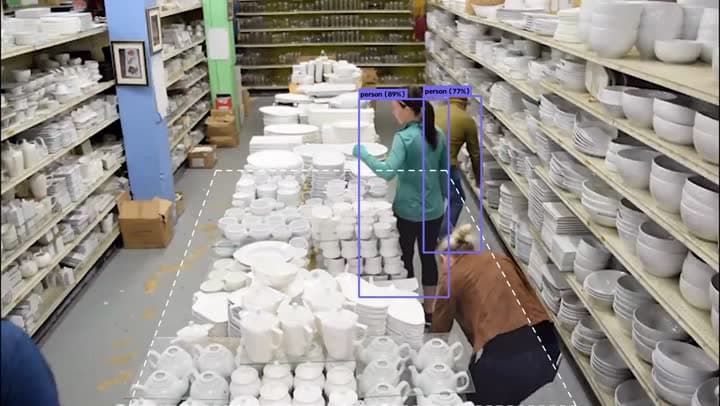
Know the moment someone enters a restricted area.
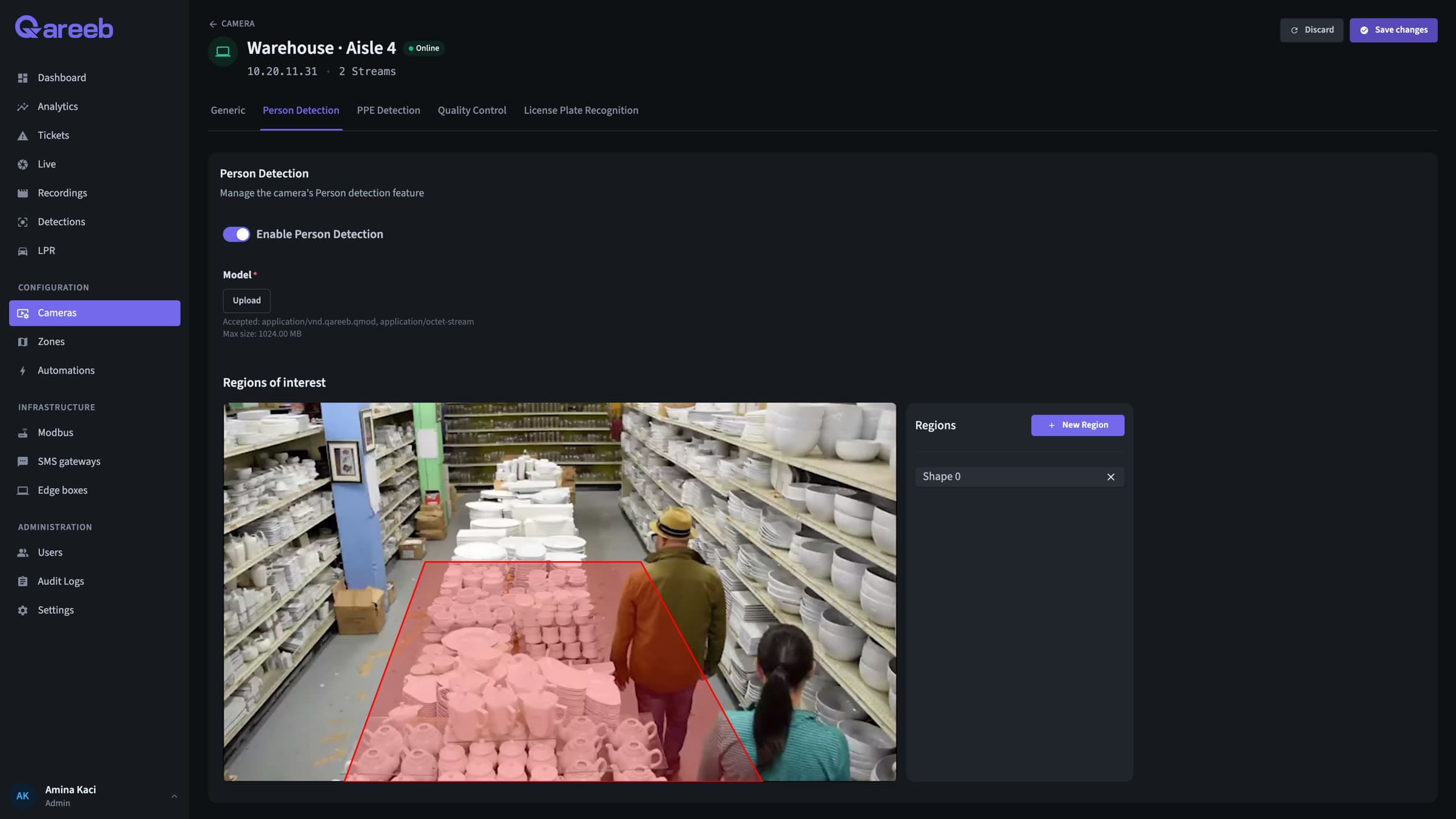
Draw the zone on the camera picture and choose the hours. The alert opens on entry and closes when they leave.
Learn more →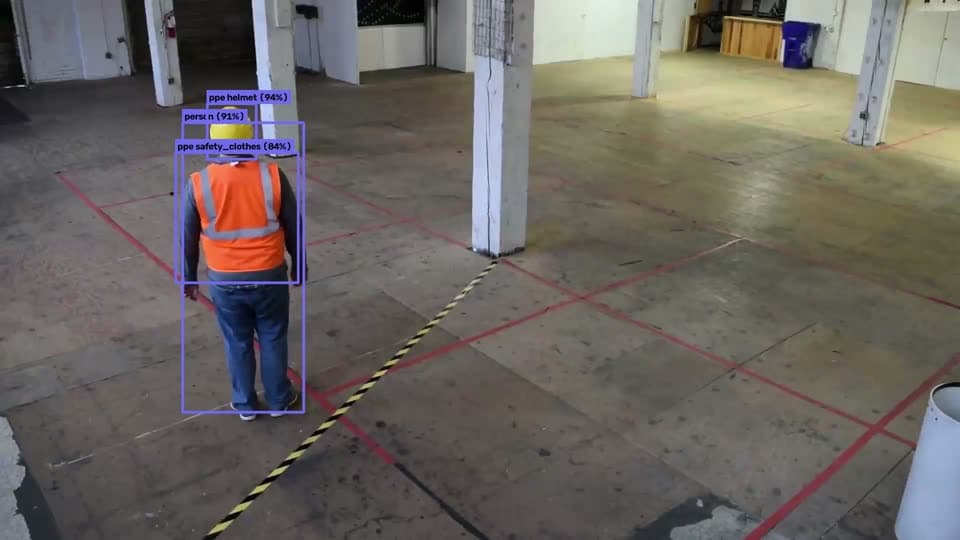
Check helmets and safety vests on every worker.
Every tracked person in the zone is checked. A violation is only raised once it holds over several frames.
Learn more →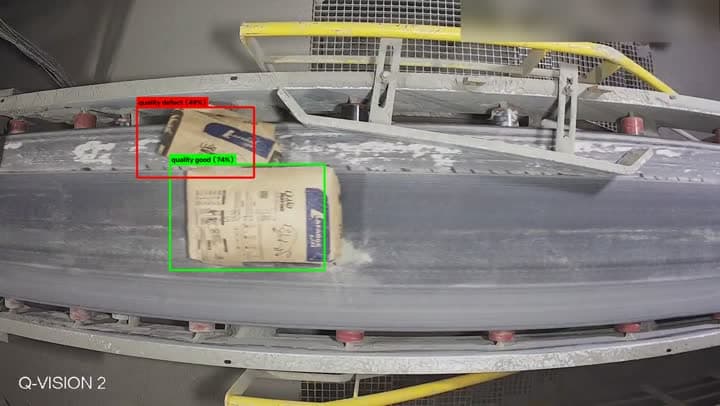
Spot defective items on the line.
Each item is classed good or defective and tracked, so one bad item raises one alert, and can stop the line.
Learn more →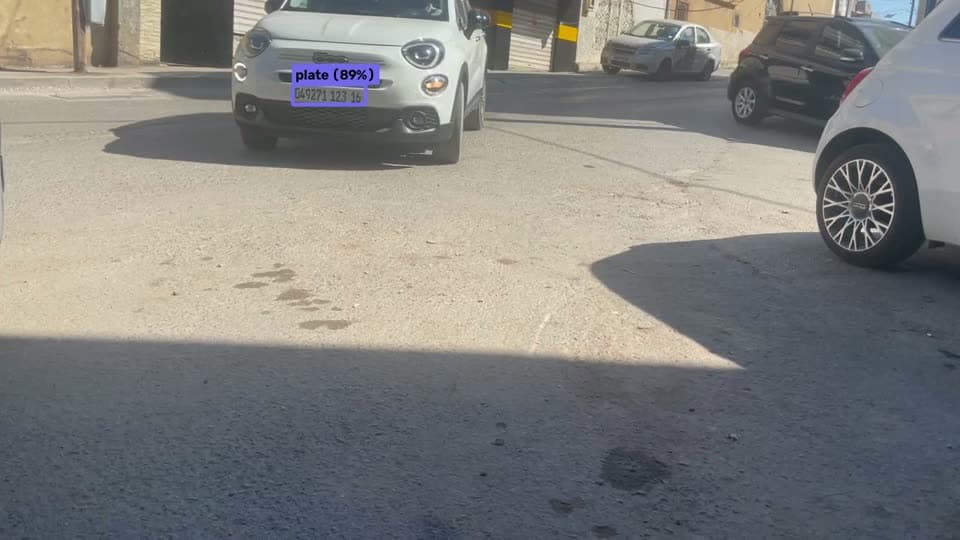
Read plates and know which vehicles are inside.
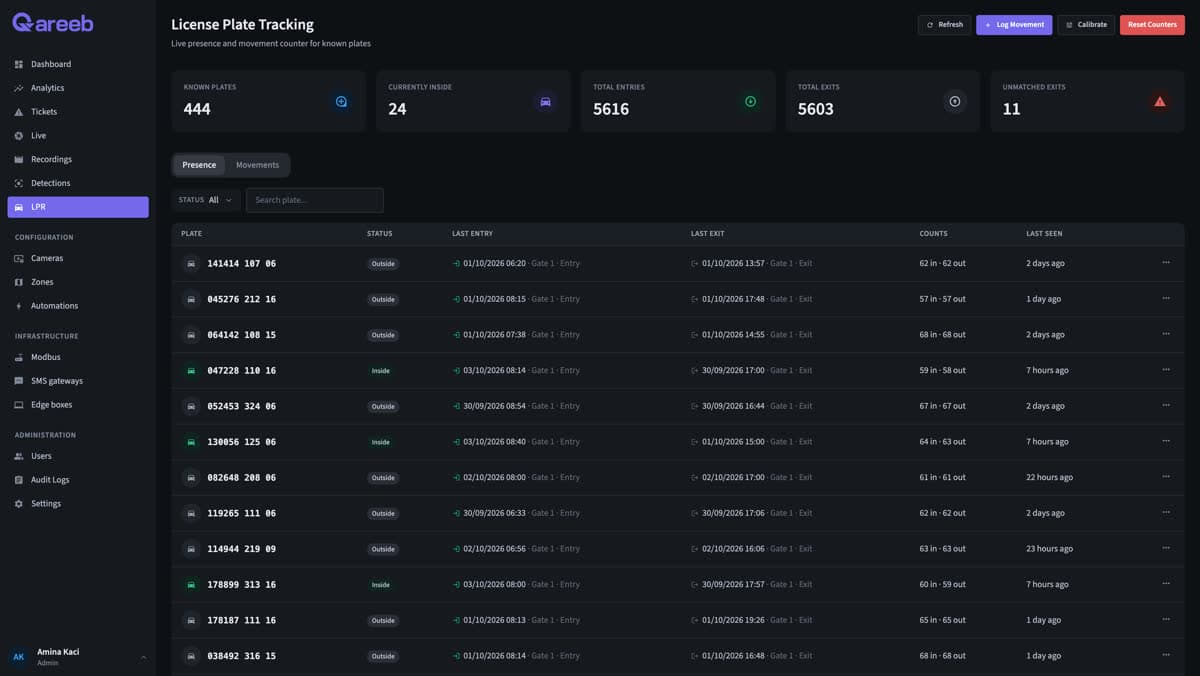
Plates are read in the Algerian format. Entries, exits and time on site are logged automatically.
Learn more →
Know who is on the floor, and who isn't known.
Faces are matched on the box against the people you enrolled. Combined with PPE, a violation comes with a name.
Learn more →Need to detect something else? We train QVision for it.
Your products, your equipment, your hazards. Custom models follow one path, run with your teams, and become detections like any other.
- 1Site inspection
- 2Data collection and staged scenes
- 3AI training
- 4Testing
- 5Deployment
- 6On-site monitoring
Then it acts, the way you'd tell a colleague.
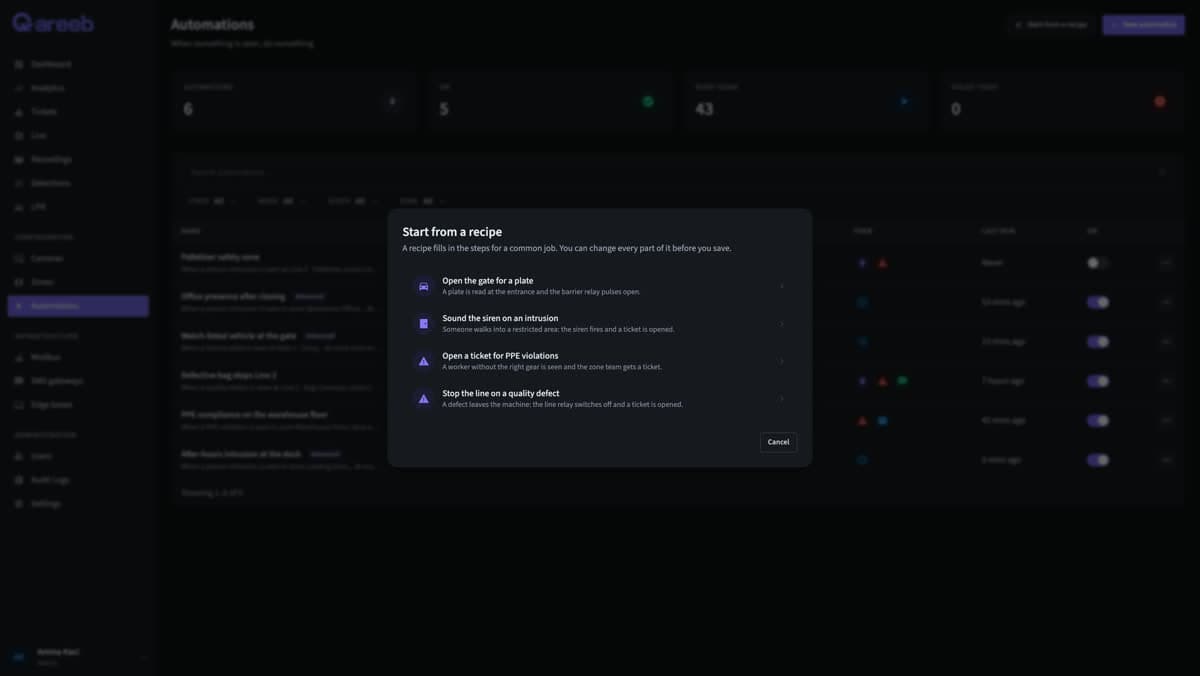
Rules read like sentences: what to watch for, where, when, and what should happen. Every action reports whether it worked, so a rule can try something else when it doesn't.
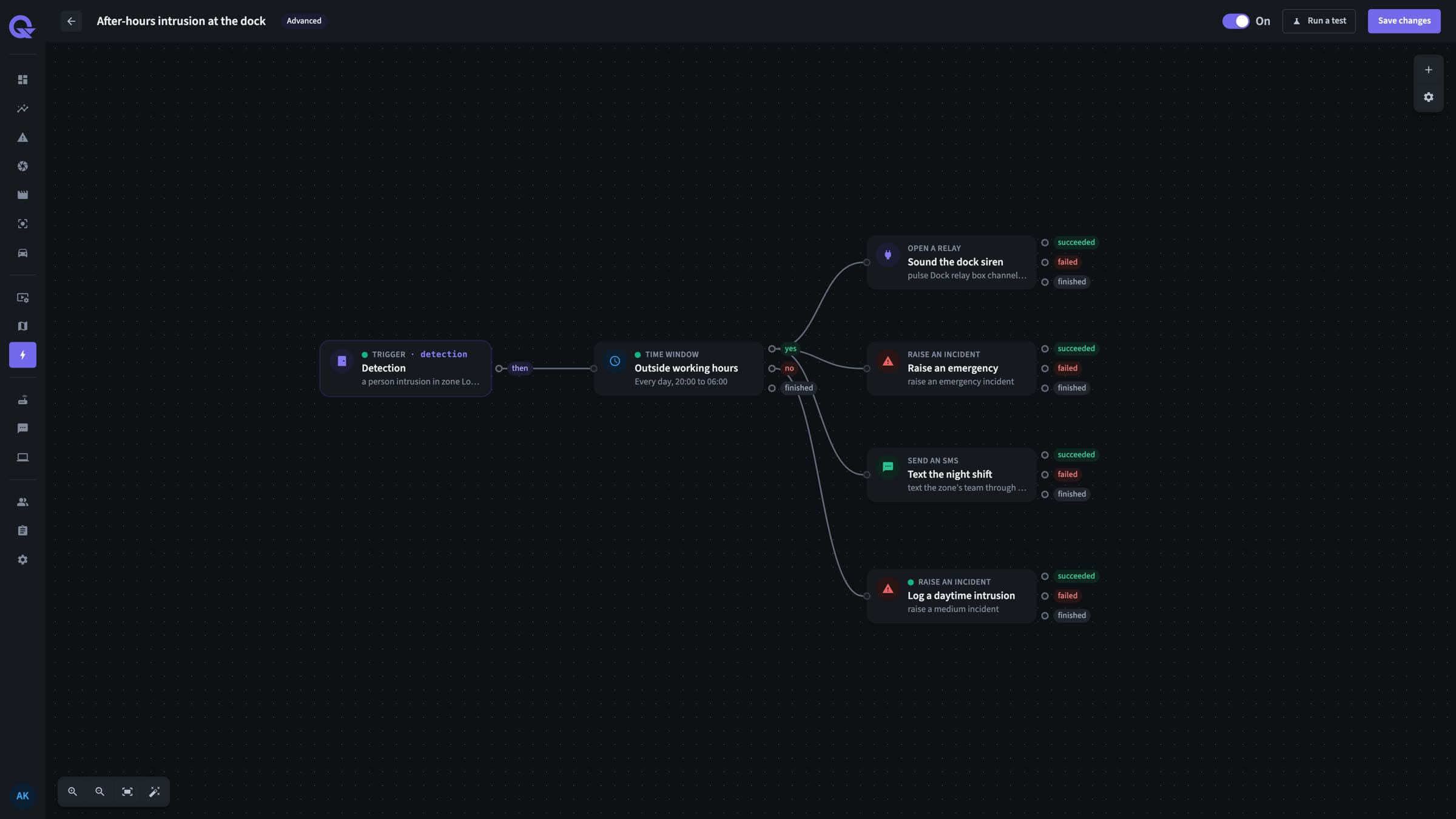
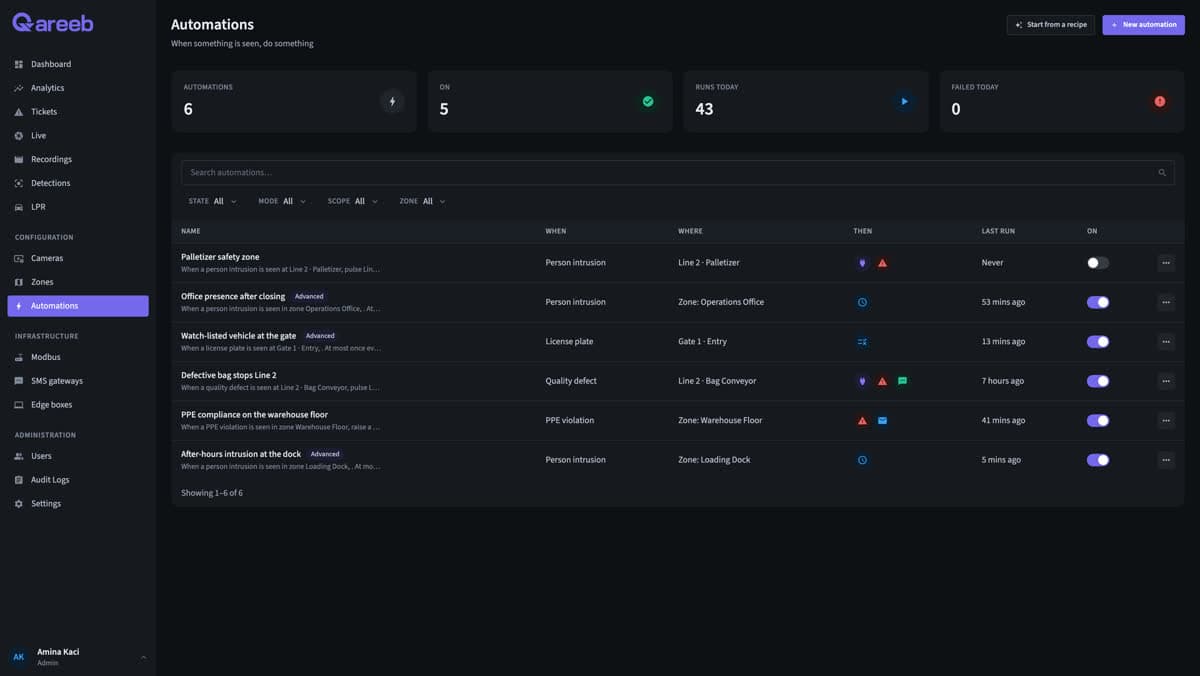
When a person enters Aisle 4 after 20:00, sound the siren, open an incident and text the night shift.
See everything a rule can doSirens, barriers and line stops
Pulse or switch Modbus relays to drive sirens, beacons, barriers and conveyor stops.
Text messages
Text the right team through the SMS gateway on your site, with the camera and zone in the message.
Email
Send the HSE manager or the security lead an email the moment it happens.
Incidents
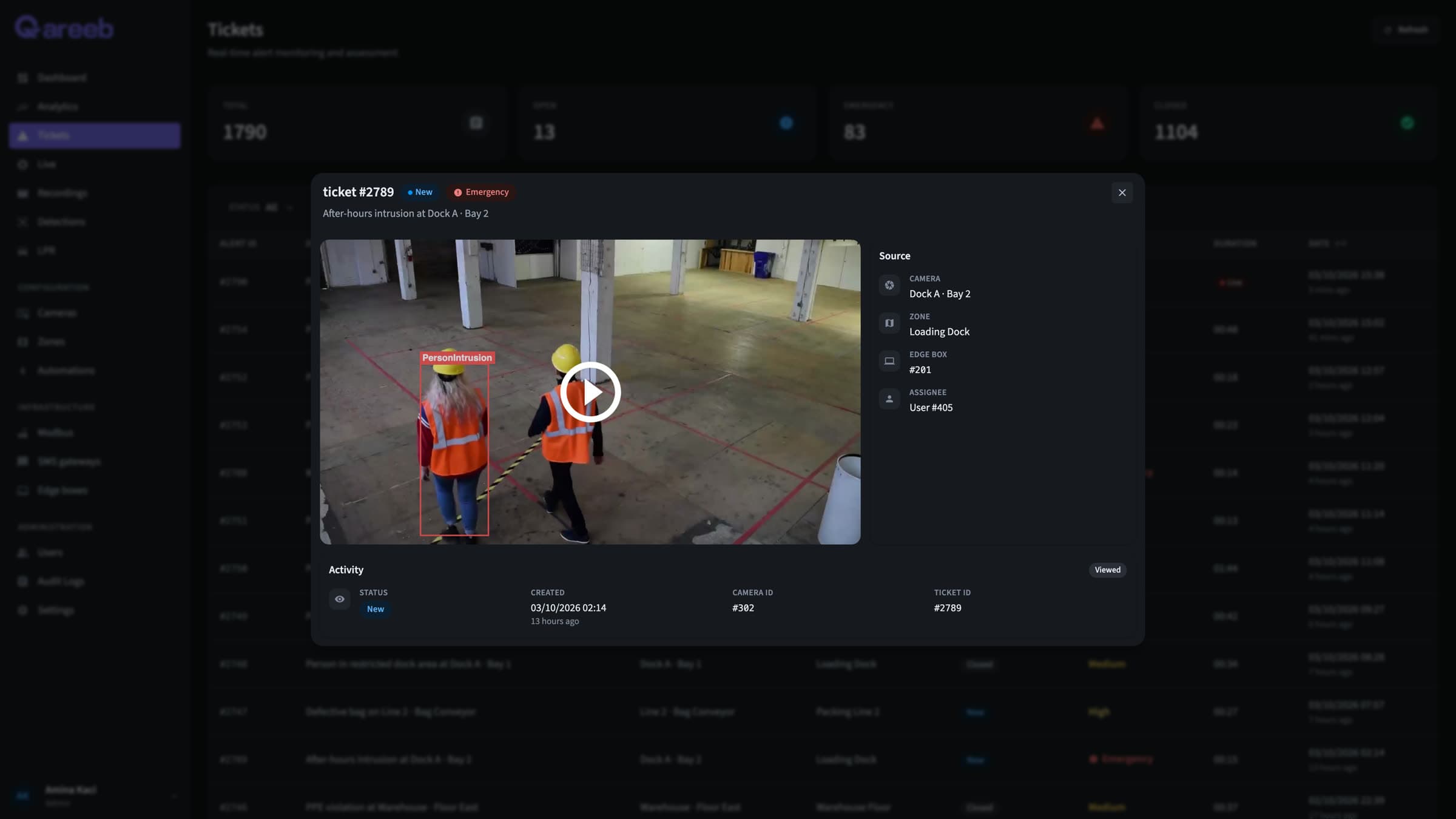
Open an incident with the snapshot, the clip, a priority and the zone's team notified live.
Webhooks
Post signed JSON to your ERP, building management or ticketing system.
Everything happens in one place.
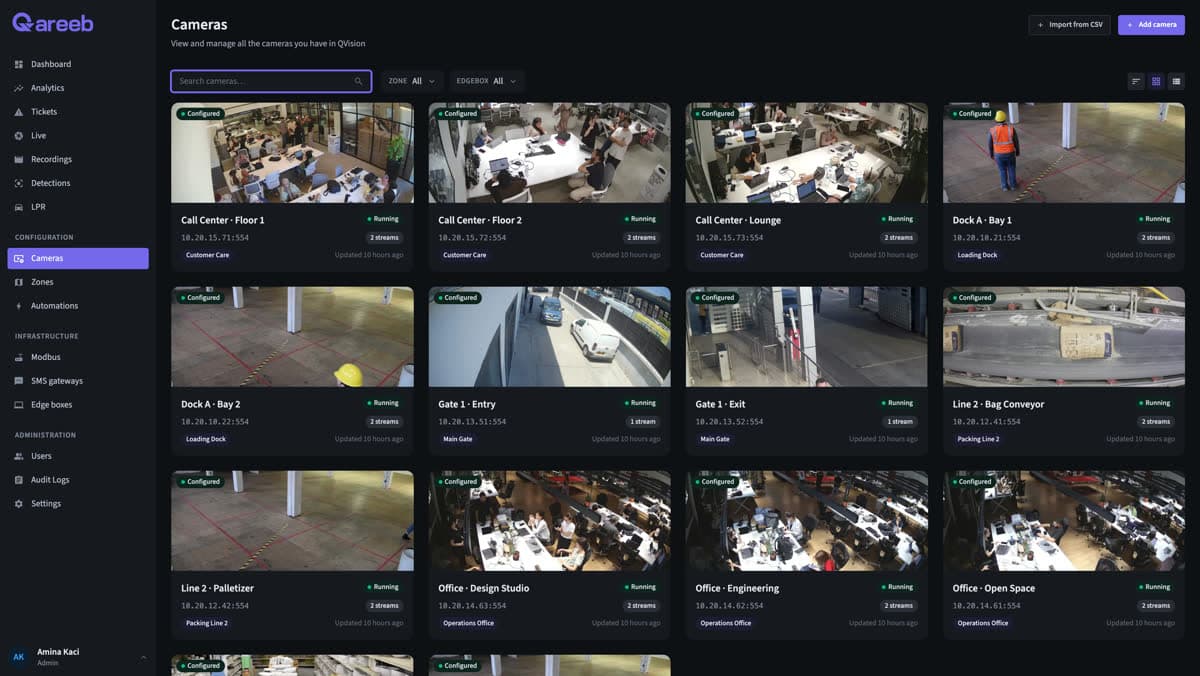
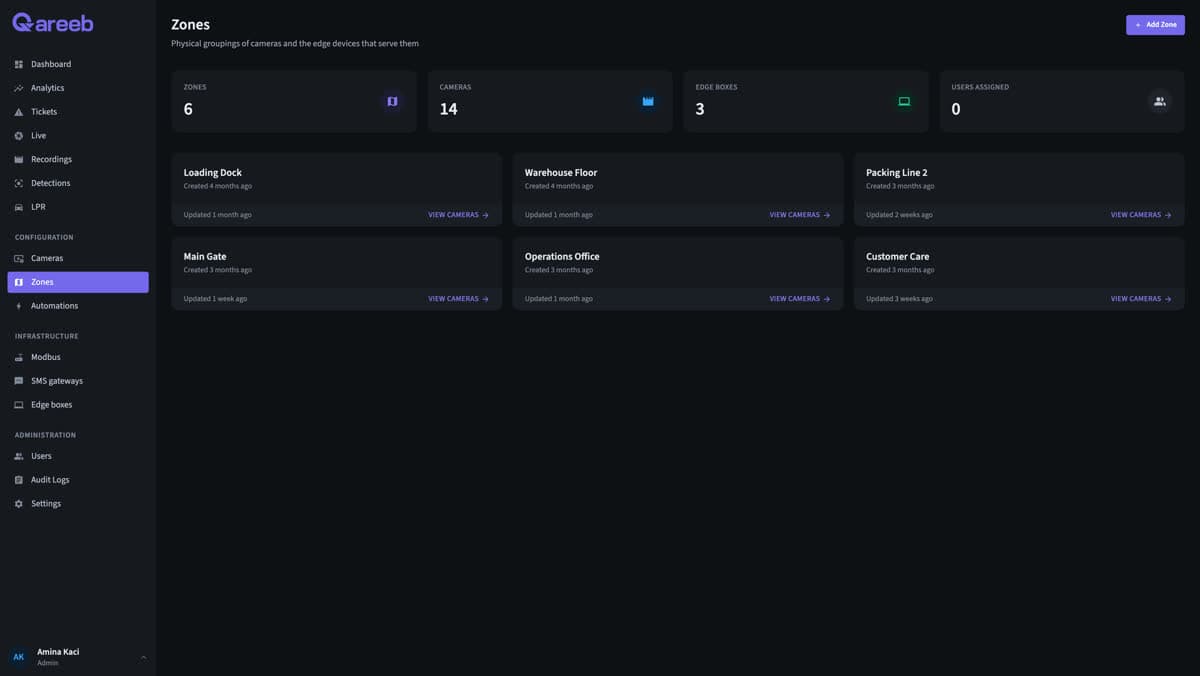
Cameras, rules, incidents, analytics and zones, in one web app your team opens every morning.
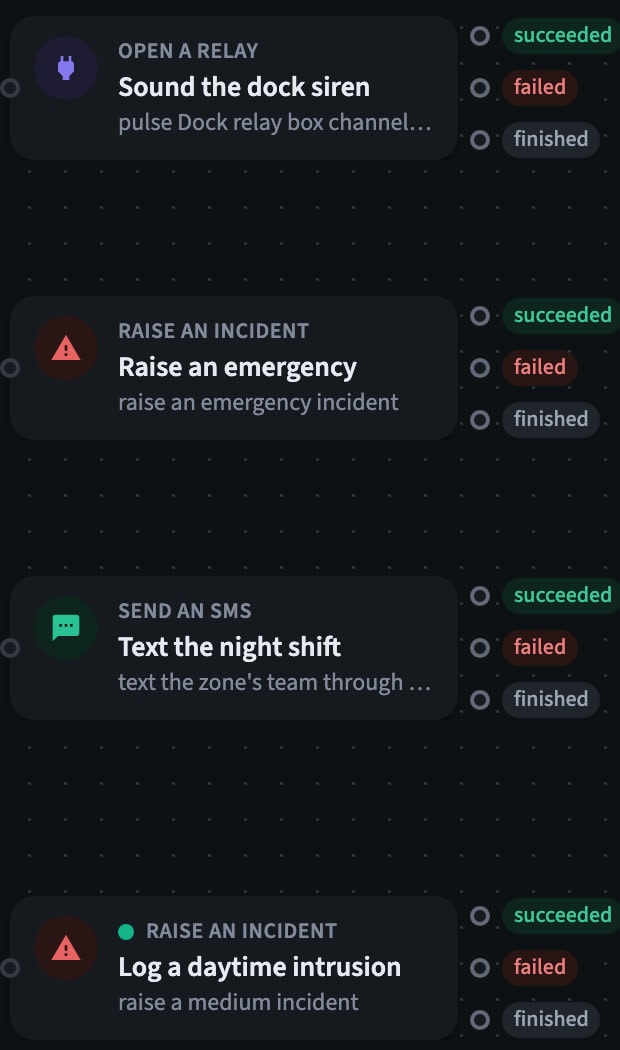

- Automate: Every action knows if it worked. Relays, SMS, email, webhooks and incidents each report success or failure, so a rule can fall back when something breaks.
- Automate: Every run, step by step. The 02:14 incident from the tour, exactly as QVision recorded it: siren pulsed, emergency raised, night shift texted.
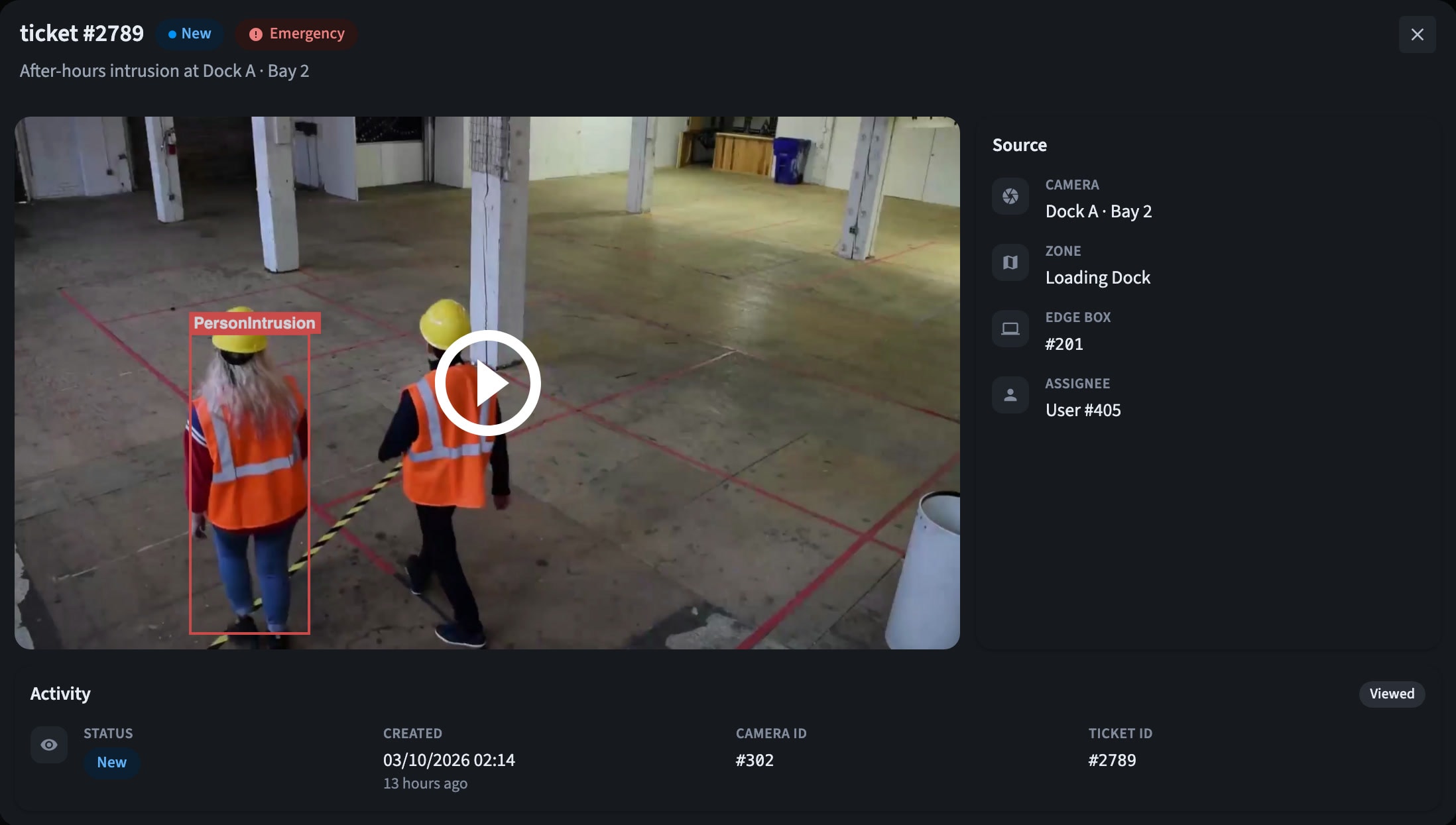
- Respond: Incidents arrive with the evidence. The snapshot with its detection box, the recorded clip, the camera and the zone, sent live to the zone's team.
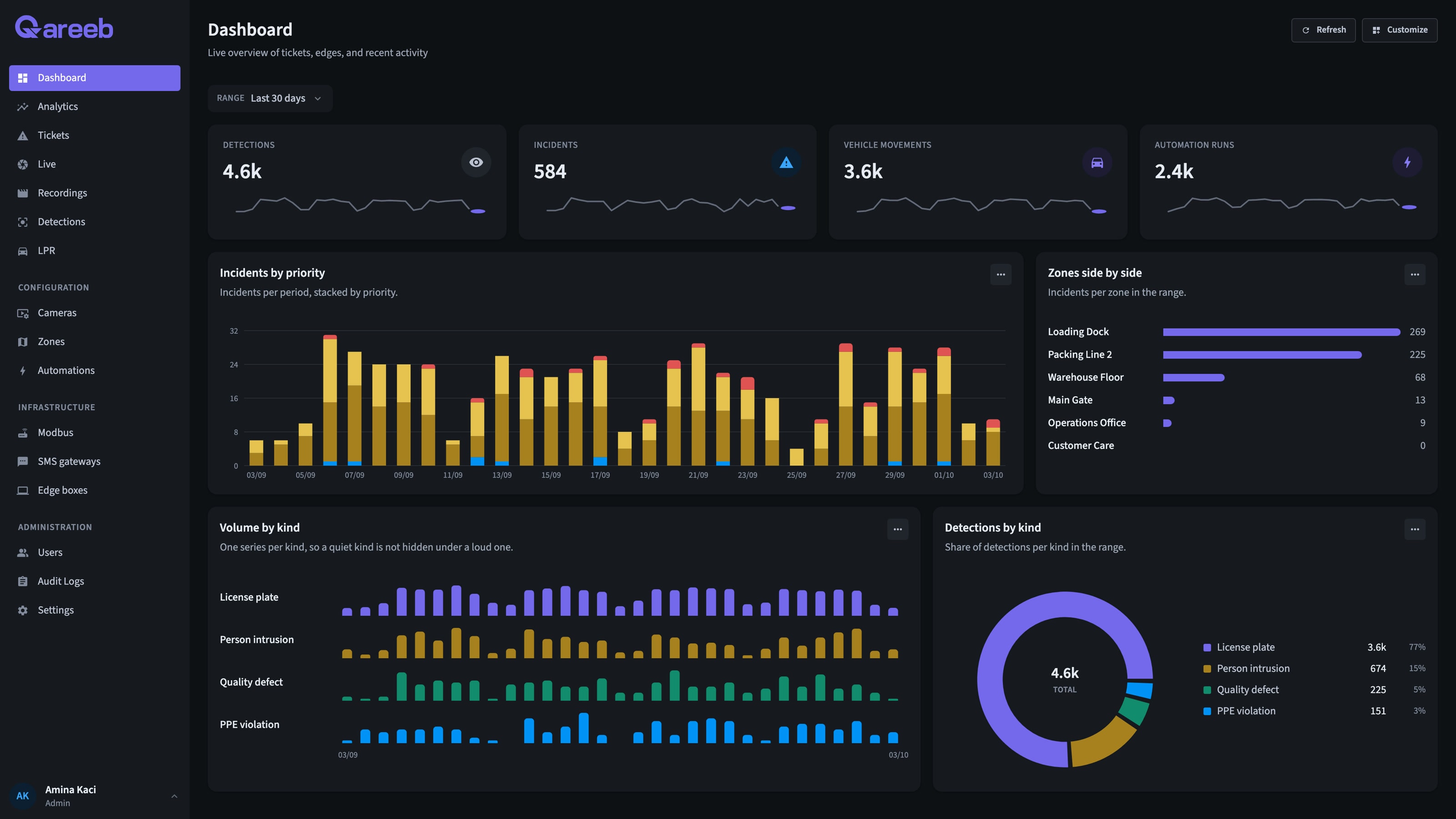
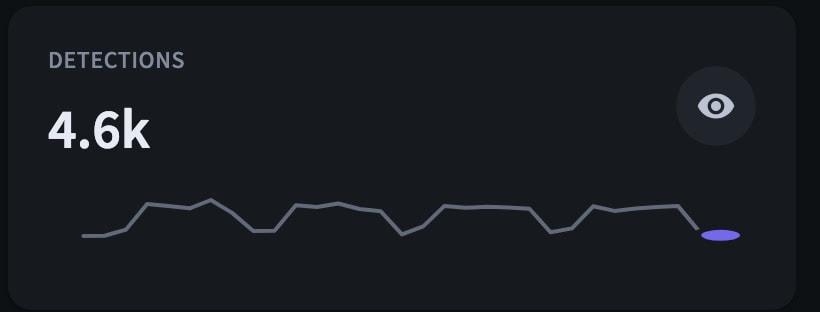
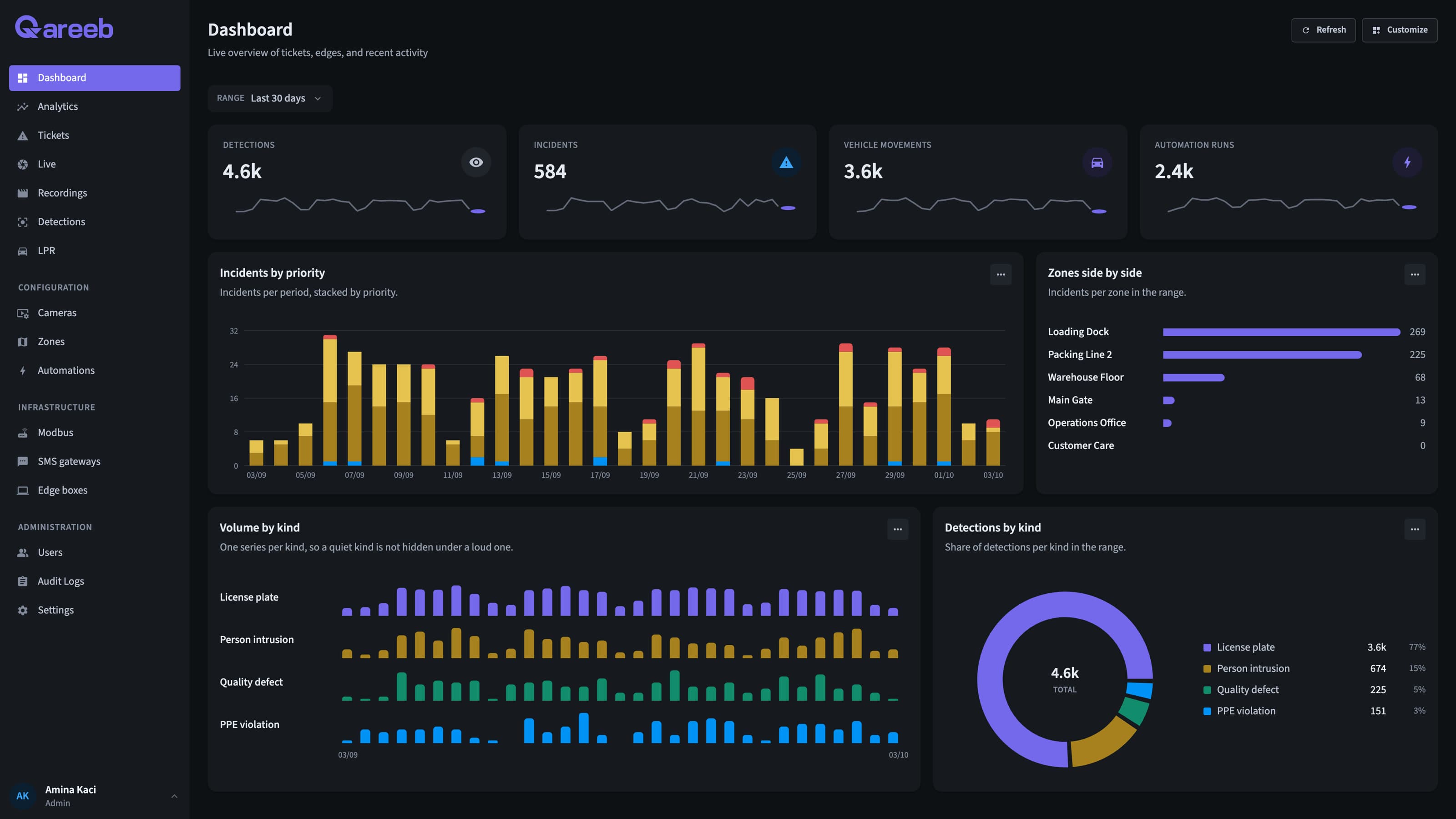
- Know: A dashboard each person arranges. Detections, incidents, vehicle movements and rule runs, laid out the way each user wants.
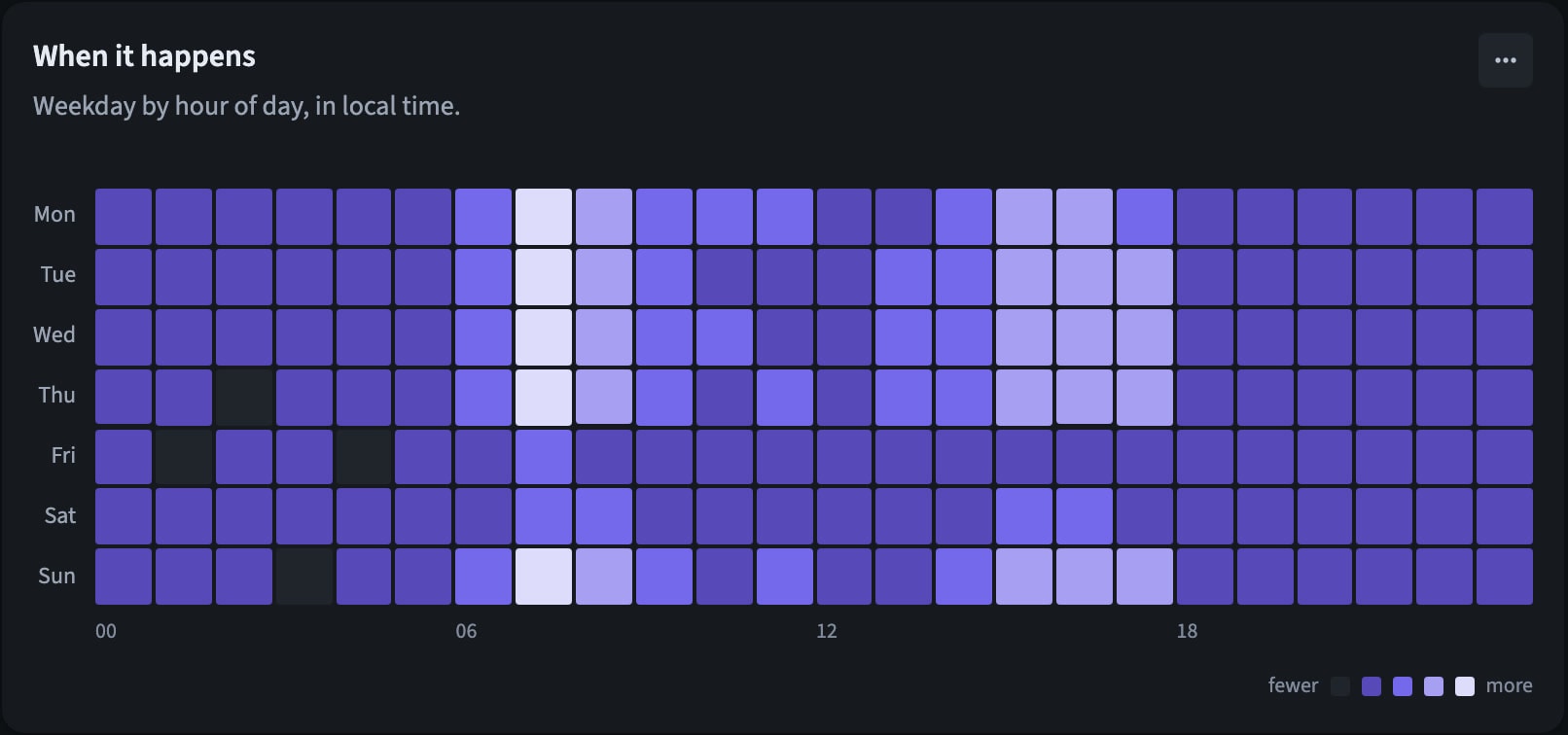
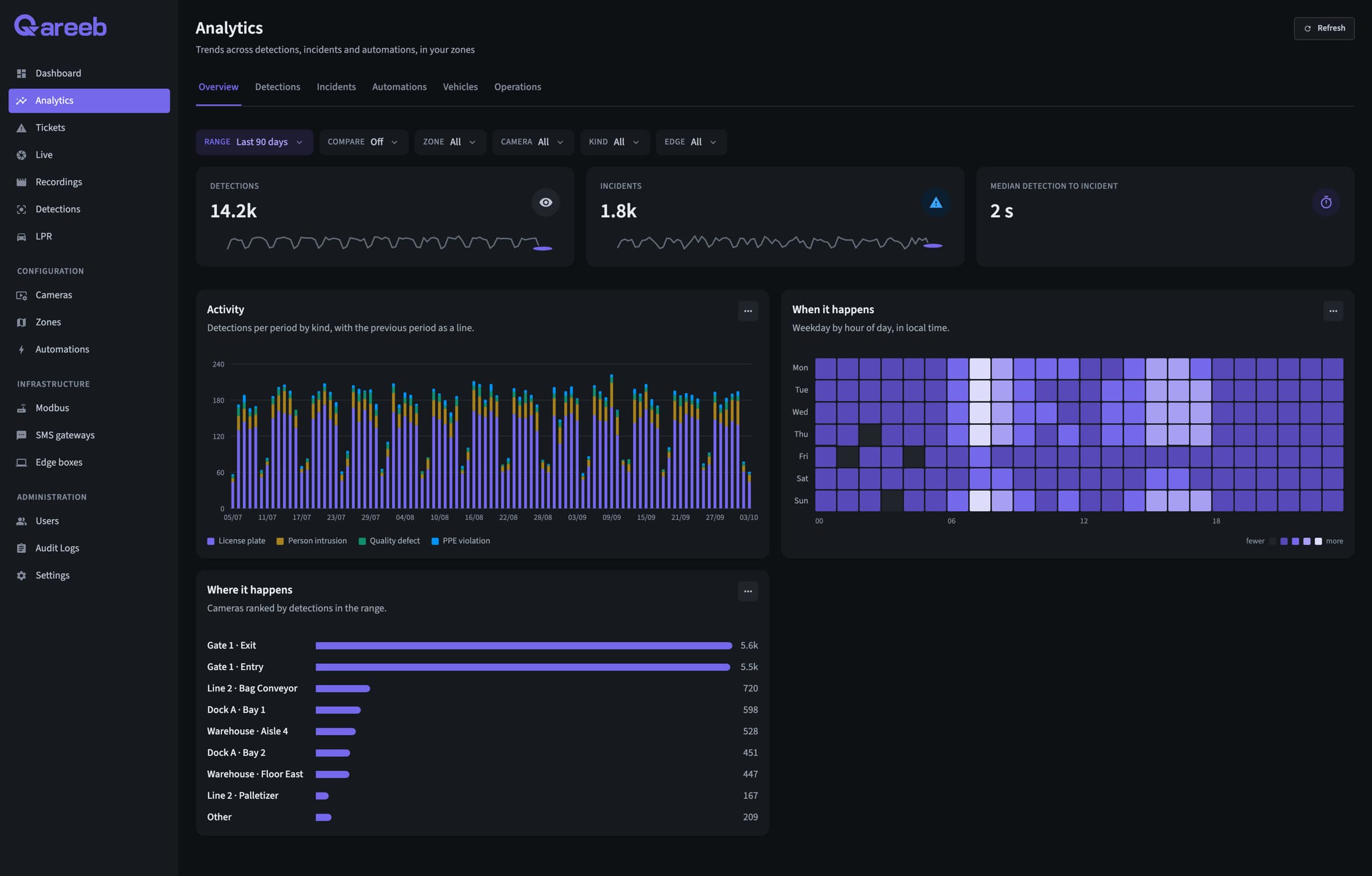
- Know: See when it happens. Weekday by hour, cameras ranked, compared with the previous period. Every chart exports to CSV.
Run every site from one place.
What IT and security ask for before a rollout, already in the platform.
Every site, one hub
Edge boxes, cameras and sites in one place, each with its live online status.
Access by zone
Operators see and act only on their zones. Admins see the whole fleet.
Your identity provider
Single sign-on over SAML, so access follows your company accounts.
Full audit trail
Every change to cameras, zones, rules and users, with who made it and when.
Evidence on demand
Every camera on one timeline. Export any range to MP4 for an investigation.
A live wall for every control room
Up to 36 cameras per screen, with detections and zones drawn on the video.
Distributed at the edge. Managed from one hub.
Every site runs its own edge boxes, every box reports to one hub on your servers, and none of it depends on the internet.
- 1
Edge boxes on every site
Each box runs the AI on its cameras and records continuously, right on site. More cameras, more boxes.
- 2
Edge Protocol
Boxes connect and communicate with our Edge Protocol.
- 3
One hub for the fleet
Users, zones, rules, incidents and analytics for every site, on your own server. The hub runs the rules and drives relays, SMS, email and webhooks.
- 4
Resilient by design
If a site loses its link, its boxes keep detecting and recording from their saved settings. Try it on the diagram.
- 5
No vendor cloud
Nothing calls out to the internet, and air-gapped networks are supported.
All-in-one
One machine runs the edge and the hub. Right for a single site.
Distributed
Edge boxes on every site, and one hub on a QVision server or your own.
Air-gapped
Either setup, on a network with no internet at all.
Made for sites that run around the clock.
Energy, isolated sites, building materials, manufacturing and logistics: the places where safety, security and quality meet.
Energy, oil and gas
- Perimeters and fence lines
- Process areas
- Truck gates
Isolated sites
- Fence lines and perimeters
- Equipment shelters and cabinets
- Site access
Cement and building materials
- Packing and bagging lines
- Plant floor and maintenance
- Crushers and danger zones
Manufacturing
- Production lines
- Shop floor
- Robot cells and presses
Warehousing and logistics
- Aisles and stock rooms after hours
- Loading docks
- Yard and gates
Start with one site. Scale to all of them.
No new cameras and no cloud account. Each new site joins the same hub.
- 01
Discovery and demo
We show QVision on footage close to your sites and map the risks you want covered.
- 02
Pilot on one site
An edge box on your network, your existing cameras, the zones and rules that matter.
- 03
Review with your teams
HSE, security and operations look at the incidents, the alerts and the numbers.
- 04
Roll out site by site
More boxes, more sites, one hub, with the same rules and the same dashboards.
- IP cameras that stream over RTSP
- A network path from the cameras to the box
- A server for the hub, or one box on a single site
What operations, security and IT ask first.
Do we need new cameras?
No. QVision works with standard IP cameras that stream over RTSP, in H.264 or H.265.
Does any video leave our network?
No. Video is recorded and analysed on the edge boxes inside your network, and nothing in QVision calls a cloud service. Air-gapped networks are supported.
What happens if a site loses its connection?
The site's edge boxes keep detecting and recording from their saved settings. Rules and alerts run on the hub, so they flow again as soon as the link is back.
How does it scale across sites?
Each site gets one or more edge boxes, sized to its cameras and detections. One hub manages every box, camera, user and rule across all of them.
Can it work with our other systems?
Yes: Modbus relays for sirens, barriers and lines, an SMS gateway, email, webhooks to your ERP or ticketing, and single sign-on over SAML.
How is face recognition kept under control?
Faces are matched on the box against people your admins enrolled. The gallery never leaves your network, faces are switched on zone by zone, and every change is in the audit log.
See QVision on a site like yours.
A walkthrough on footage close to your sites, with answers for your operations, security and IT teams.
Book a demo